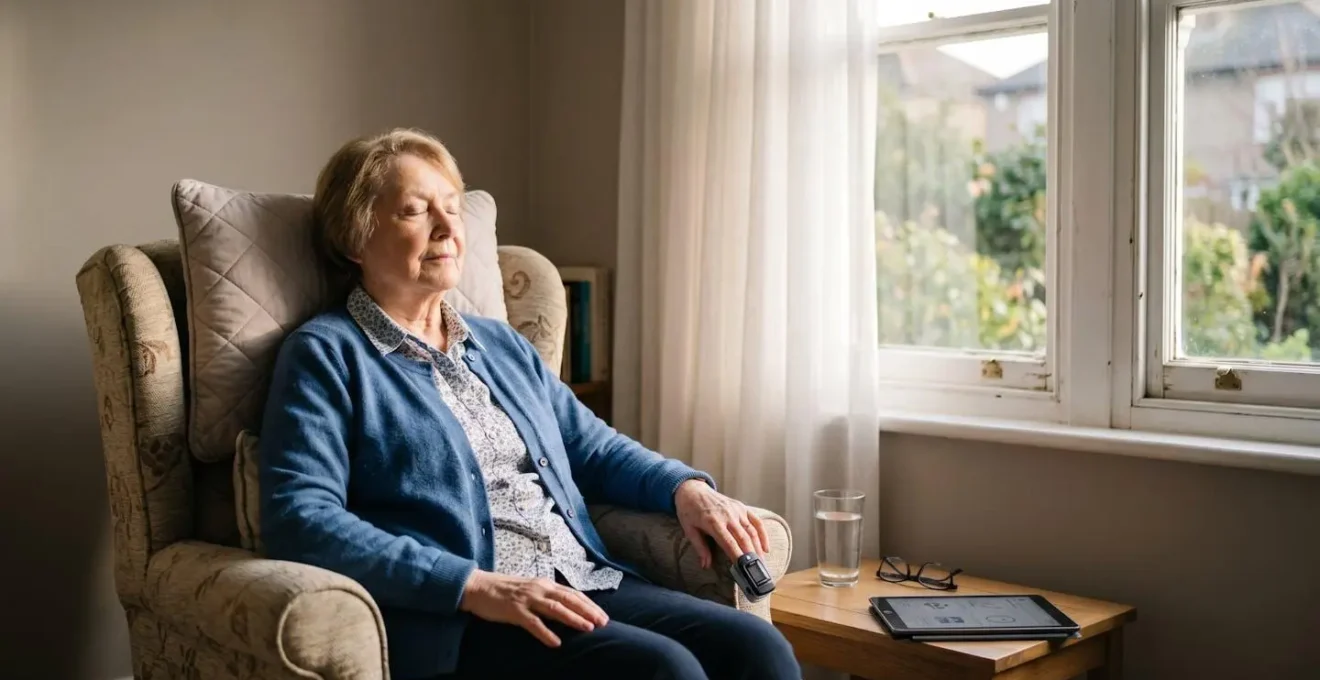
A virtual ward is not just about remote monitoring; it is a partnership that empowers you to recover safely and confidently in the comfort of your own home.
- Your vital signs are sent securely, not as single numbers, but as trends that tell your clinical story.
- Connectivity is robust, as most kits use their own 4G/5G signal, independent of your home Wi-Fi.
Recommendation: Focus on creating a ‘safe recovery zone’ at home and learn to spot common false alarms. This transforms you from a passive patient into an active recovery partner.
The idea of being discharged from hospital to a ‘virtual ward’ can feel unsettling. You’re leaving the physical safety of a hospital floor, and it’s natural to wonder: « Am I truly safe at home? Who is watching over me? What if the technology fails? » Many believe that ‘hospital at home’ is a lesser form of care, a compromise driven by bed shortages. You might worry that a machine can’t replace the reassuring presence of a nurse checking in on you during the night.
While these concerns are completely valid, they often stem from a misunderstanding of what a virtual ward is designed to do. The technology is not there to replace care, but to deliver it in a more targeted and responsive way, right where you are most comfortable. The key isn’t simply being monitored; it’s about creating a rich, continuous clinical dialogue between you and your care team. What if the real power of a virtual ward wasn’t just in the data we receive, but in the confidence and control it gives back to you, the patient?
This guide, written from the perspective of a virtual ward manager, will demystify the process. We will explore the technology that keeps you safe, the practical steps you can take to ensure a smooth experience, and how you can become an active, empowered recovery partner. We’ll cover everything from what your oximeter is really sending, to managing connectivity, preventing complications like delirium, and supporting your family through this new way of receiving care.
To help you navigate this new model of care, this article breaks down the essential information into clear, manageable sections. The following summary provides a roadmap to building your confidence in remote recovery.
Summary: Recovering at Home: How NHS Virtual Wards Monitor You Remotely
- What Is that Oximeter Actually Sending to the Hospital via Bluetooth?
- How to Stay Connected to Your Virtual Ward If You Have Poor Wi-Fi
- Home vs Hospital: Which Environment Reduces Delirium in Elderly Patients?
- The Monitoring Error That Triggers False Alarms on Virtual Wards
- How to Support a Relative on a Virtual Ward Without Burning Out
- How to Create a Safe Home Environment for Discharge to Prevent Readmission
- How to Set Up Satellite Internet for Reliable Telemedicine in Remote Areas
- How to ‘Wait Well’ While on the NHS Surgery Waiting List for 18 Months
What is that oximeter actually sending to the hospital via Bluetooth?
That small device clipped to your finger is the heart of your virtual ward connection, but it’s doing far more than just sending a single oxygen number. Think of it not as a snapshot, but as a continuous story about your recovery. The data creates a clinical dialogue between you and your care team, allowing us to see subtle changes over time. This is often more valuable than intermittent checks on a busy hospital ward.
The device transmits several key pieces of information. Firstly, it sends your oxygen saturation (SpO2) and heart rate readings every few seconds. This creates a trend line, so we can spot gradual deterioration long before it becomes an emergency. Secondly, it measures your ‘perfusion index’—the strength of blood flow at your fingertip. This is crucial because it tells us if a reading might be inaccurate due to cold hands or poor circulation, helping to prevent false alarms. Finally, it sends status updates like battery life and signal quality, ensuring the technology itself remains reliable.
This constant stream of information is securely transmitted to our clinical dashboard. When a reading breaches the personal thresholds we’ve set for you, an automatic alert is triggered for immediate review by a nurse or doctor. This proactive system forms a digital safety net around you, enabling us to intervene when necessary while you rest and recover in the peace of your own home.
As you can see, the process is designed to be both comprehensive and unobtrusive. The technology captures a rich picture of your physiological state, allowing your clinical team to make informed decisions remotely. This focus on trend data, rather than isolated numbers, is a cornerstone of modern, proactive healthcare.
How to stay connected to your virtual ward if you have poor Wi-Fi
A common and entirely valid concern is, « What if my internet goes down? » The reliability of your connection is paramount, and it’s something we plan for extensively. The good news is that your virtual ward monitoring is rarely dependent on your home Wi-Fi. We understand that broadband can be unreliable, especially in certain areas.
To overcome this, most NHS virtual ward monitoring kits now include pre-configured 4G/5G SIM cards. This means the equipment has its own independent mobile connection, just like a smartphone. It automatically connects to the strongest available mobile network to transmit your data securely, completely bypassing your home internet. This makes the system robust and ensures we receive your vital signs data consistently, whether your Wi-Fi is working or not.
However, becoming a confident recovery partner involves being proactive. Before you are discharged, you can take simple steps to ensure your home is ready. The key is to identify any potential issues early and discuss them with your discharge team. This gives you control over your environment and builds your own digital confidence.
Your pre-discharge tech audit checklist
- Before hospital discharge, conduct a Wi-Fi strength test in each room where you’ll be recovering using your smartphone’s signal indicator.
- Identify ‘dead zones’ where the signal drops below two bars and inform your discharge coordinator immediately—this helps them confirm cellular-enabled equipment is right for you.
- Confirm your monitoring kit includes built-in cellular (4G/5G) capability with a pre-installed SIM card, which should eliminate dependency on your home internet entirely.
- Establish your ‘Communication Escalation Plan’ with the virtual ward team: document a primary phone contact, a backup mobile number, and designated call times if technology fails.
- If you do need to use Wi-Fi as a backup, position your monitoring device within a direct line-of-sight of your router, avoiding walls and interference from microwaves.
Home vs hospital: which environment reduces delirium in elderly patients?
One of the most significant, yet often overlooked, benefits of a virtual ward is its positive impact on a patient’s cognitive health, particularly in preventing delirium. Delirium, a state of acute confusion, is a common and serious problem for older patients in hospital. The unfamiliar environment, constant noise, disrupted sleep, and lack of orientation can be profoundly disorienting.
In contrast, recovering at home provides a powerful antidote. The familiar surroundings, personal belongings, regular routines, and the presence of family help you stay grounded. Waking up in your own bed, seeing your own pictures on the wall, and knowing where the bathroom is are simple but vital anchors for your brain. This stability is crucial for cognitive function during a period of physical vulnerability. In fact, research from University of Utah Health indicates that the home environment is highly beneficial for preventing delirium, reinforcing that home-centred care is often the best medicine for the mind as well as the body.
As a caregiver, you play a vital role in this protective effect. You are the expert in your relative’s normal behaviour. While our technology monitors their physical signs, you are our most important sensor for their mental state. Knowing the subtle warning signs of delirium allows you to alert the virtual ward team early. Watch for unusual quietness in a sociable person, new or misplaced suspicions, or a reversal of their sleep-wake cycle. These are just as important as a low oxygen reading and are key data points in our holistic assessment of your relative’s recovery.
The monitoring error that triggers false alarms on virtual wards
An alarm from a medical device can be frightening, immediately making you think the worst. One of the most important aspects of building your digital confidence on a virtual ward is understanding that not every alarm signifies a medical emergency. Many are simple technical issues or ‘false alarms’ that you can often resolve yourself in seconds.
The most common culprit is what we call ‘The Cold Fingers Error’. When your hands are cold, blood flow to your fingertips (perfusion) is reduced. The oximeter struggles to get a strong signal and may interpret this as a dangerously low oxygen level, triggering an alarm. Similarly, moving, coughing, or even talking during a measurement can create ‘motion artifact’ in the data, leading to an inaccurate reading. These are not signs of a clinical problem, but of a measurement problem.
Empowering you to troubleshoot these common issues is a priority for us. It reduces anxiety for you and your family, and it allows our clinical team to focus on genuine alerts. Knowing how to take a reliable reading—by warming your hands first, sitting still, and ensuring a blood pressure cuff is fitted correctly—makes you an effective partner in your own care. As this table from Cambridge University Hospitals NHS Foundation Trust’s virtual ward shows, the fixes are often very simple.
The following guide helps you troubleshoot the most frequent causes of false alarms. Learning to distinguish these from a true alert is a crucial skill for a confident recovery at home.
| False Alarm Type | What’s Happening | Quick Fix | When to Report |
|---|---|---|---|
| The Cold Fingers Error | Poor blood perfusion to fingertip makes oximeter unable to detect accurate SpO2, triggering low oxygen alert | Warm hands by rubbing together or placing under warm (not hot) water for 30 seconds, then retake reading | If readings remain abnormal after warming and you feel breathless |
| The Movement Error | Coughing, adjusting position, or talking during measurement creates motion artifact in data stream | Sit still, rest arm on flat surface, keep finger motionless for full 60 seconds during reading | If alarm persists despite being completely still |
| The Loose Cuff Error | Blood pressure cuff positioned incorrectly or too loose, giving falsely elevated or low readings | Reposition cuff 2cm above elbow crease on bare skin (not over clothing), ensure snug but not tight fit—you should fit 2 fingers under cuff | If readings differ dramatically from your typical baseline despite correct positioning |
| The Low Battery Glitch | Device battery below 20% causes intermittent connection drops, triggering connectivity alarms | Charge device immediately using provided cable, keep device plugged in during readings if battery health declining | If device fails to hold charge for expected duration (contact virtual ward for replacement) |
How to support a relative on a virtual ward without burning out
As a family member or caregiver, your role in a virtual ward is invaluable, but it can also feel overwhelming. You are not expected to be a medical expert, but a supportive partner. The key to avoiding burnout is to establish clear, structured routines and boundaries, turning your support into a manageable and effective part of the care plan rather than a source of constant anxiety.
Your main role is to be an extra set of eyes and ears for the clinical team, and to assist your relative with the technology if they need it. This doesn’t mean watching them 24/7. Instead, we encourage a ‘structured check-in’ approach. A simple, five-minute daily handover can provide the virtual ward team with crucial context. This involves checking the day’s readings, asking about new symptoms, ensuring devices are charged, and assessing your relative’s overall mood. This focused interaction provides valuable data and prepares you with specific questions for the next clinical call.
It’s also vital to remember that you are part of a wider team. You are not alone. The virtual ward includes a 24/7 clinical advice line, so you always have access to professional support. This structured approach has proven to be highly effective in reducing both patient readmissions and caregiver anxiety.
Case Study: Norfolk Virtual Ward’s Success with Caregiver Support
Norfolk Community Health and Care NHS Trust provides a powerful example. Their virtual ward service successfully managed 1,315 patients in its first year. A key factor in their success, which helped 90% of referred patients avoid unnecessary hospital admissions, was a focus on structured caregiver support. By providing clear communication channels, scheduled daily check-ins, and 24/7 access to clinical advice lines, the service significantly reduced caregiver anxiety, which in turn improved patient outcomes and prevented burnout.
How to create a safe home environment for discharge to prevent readmission
A successful recovery on a virtual ward isn’t just about the technology; it’s about the environment. Preparing your home before discharge is one of the most empowering actions you can take to prevent falls, reduce stress, and ensure a smooth recovery. The goal is to create a dedicated ‘Recovery Command Centre’.
This doesn’t need to be complicated. It’s simply a designated, stable surface—like a bedside table or a small desk in the living room—that becomes the home for all your monitoring equipment. This is where devices are charged, readings are taken, and medications are kept. Having everything in one predictable, organised place eliminates the stress of searching for a misplaced oximeter or a charging cable. It also minimises the need to rush or stretch unsafely, which is a major contributor to falls post-discharge.
Cable management is a simple but critical part of this setup. Trailing wires are a significant trip hazard. Use inexpensive adhesive cable clips to secure charging leads along the edge of your table and down the wall to the socket. Ensure there is a clear, one-metre pathway around the patient’s recovery chair or bed, free from loose rugs or clutter. These small organisational steps create a powerful sense of order and safety, contributing significantly to your physical safety and mental peace of mind.
This organised space becomes your cockpit for recovery. It should contain everything you need within arm’s reach: your monitoring devices, a glass of water, your phone, and any medications. This thoughtful preparation transforms your home from a simple living space into a safe, effective recovery environment.
How to set up satellite internet for reliable telemedicine in remote areas
For the vast majority of patients, the built-in cellular connection in their monitoring kit is more than sufficient. In fact, modern remote patient monitoring devices now feature 5G/4G LTE cellular connectivity with a 2G fallback, offering excellent coverage across most of the UK. However, for those living in the most remote rural ‘not-spots’ where even mobile signal is poor, ensuring a stable connection requires an alternative plan. This is where satellite internet can be a game-changer.
If you know you live in an area with notoriously poor mobile reception, it’s wise to discuss this with your virtual ward team before discharge. In these specific cases, a satellite internet service can provide the reliable, always-on connection needed for peace of mind. The technology has evolved significantly in recent years, with providers like Starlink offering low-latency connections that are excellent for real-time video consultations.
While this is a solution for a very small minority of patients, knowing the options are available is reassuring. It demonstrates that our safety net has multiple layers of redundancy. If the primary cellular connection is not viable, a secondary solution can be put in place. The key is proactive communication with your care team so we can find the right solution for your unique circumstances.
For those in deep rural locations, comparing providers based on telemedicine-critical metrics is key. Low latency is vital for video calls, while weather reliability ensures the connection stays up during a storm.
| Provider | Latency (Critical for Video Calls) | Weather Reliability | Installation Complexity | Monthly Cost Estimate |
|---|---|---|---|---|
| Starlink | 20-40ms (Excellent for real-time video consultations) | Good – Brief interruptions in heavy storms | DIY self-install, requires clear view of northern sky | £75-90/month for residential service |
| Konnect (Eutelsat) | 600-800ms (Adequate for data upload, challenging for live video) | Very Good – More stable in adverse weather than low-orbit systems | Professional installation included, more flexible positioning | £30-60/month depending on data allowance |
| 4G LTE Dongle Backup | 30-50ms (Excellent when signal available) | Excellent – Unaffected by weather, depends on tower signal strength | Plug-and-play, no installation required | £15-25/month pay-as-you-go or prepaid data bundle |
Key takeaways
- Trust the technology: Your monitoring kit has its own cellular connection, making it independent of your home Wi-Fi.
- Become a partner: Learn to troubleshoot common false alarms, like the ‘cold fingers error’, to reduce anxiety and take control.
- Prepare your space: Creating a safe, organised ‘recovery command centre’ at home is one of the most effective ways to prevent falls and feel secure.
How to ‘wait well’ while on the NHS surgery waiting list for 18 months
With significant waiting lists for many NHS procedures, the period before surgery can be long and stressful. However, this time doesn’t have to be passive. You can use it to ‘wait well’—a proactive approach that prepares you physically and mentally for your surgery and subsequent recovery, which will likely involve a virtual ward. As virtual wards expand rapidly— NHS England data from December 2024 shows there are now over 12,733 virtual ward beds—preparing for this model of care is becoming an essential part of the patient journey.
Waiting well means transforming this period into a ‘pre-habilitation’ phase. The goal is to get yourself into the best possible condition for surgery, which can significantly improve outcomes and speed up recovery. This includes building your digital literacy. Practice making video calls with family to get comfortable with the technology you’ll use to communicate with your virtual ward team. It’s also the perfect time to audit your home for safety, removing trip hazards and improving lighting long before you are discharged.
Starting a simple health log can also be incredibly powerful. Tracking daily steps, sleep quality, and nutrition not only helps you make gradual improvements but also provides valuable baseline data for your pre-op assessment. It demonstrates to your clinical team that you are an engaged and proactive patient, ready to become a successful recovery partner. By the time you are admitted for surgery, you will have already laid the groundwork for a safe and confident recovery at home.
Embrace this new model of care by being proactive. Your clinical team is here to support you, but your active participation is what turns remote monitoring into a truly successful and empowering recovery experience. Begin today by familiarising yourself with these concepts and preparing your home and mindset.